
I Lead My Agents Instead of Prompting Them


Contents
Once you run more than one agent, the prompt stops being the hard part. The hard part is deciding what each agent may do and where you say yes.
Most people meet AI in a chat window. You ask, you get an answer, the context is gone. That is fine for a question. It breaks down for ongoing work, because ongoing work needs memory, a place to see what is open and someone who follows up.
This post is a tour of my own setup as it stands in November 2026. It makes one argument: past the first agent, you stop prompting and start leading. Roles, limits and a human who signs off are the design, not an add-on.
Why I stopped optimizing prompts#
I wanted to hand routine work and simple tasks to agents. And I wanted a place that makes my work more efficient because it knows my context and my experience, so I do not start from zero every time.
In April I wrote about building a Second Brain with an AI librarian . That post was about routing notes. The setup has since grown by two layers, and the second one raised a different question: how do you manage agents that act for you?
The setup in one picture#
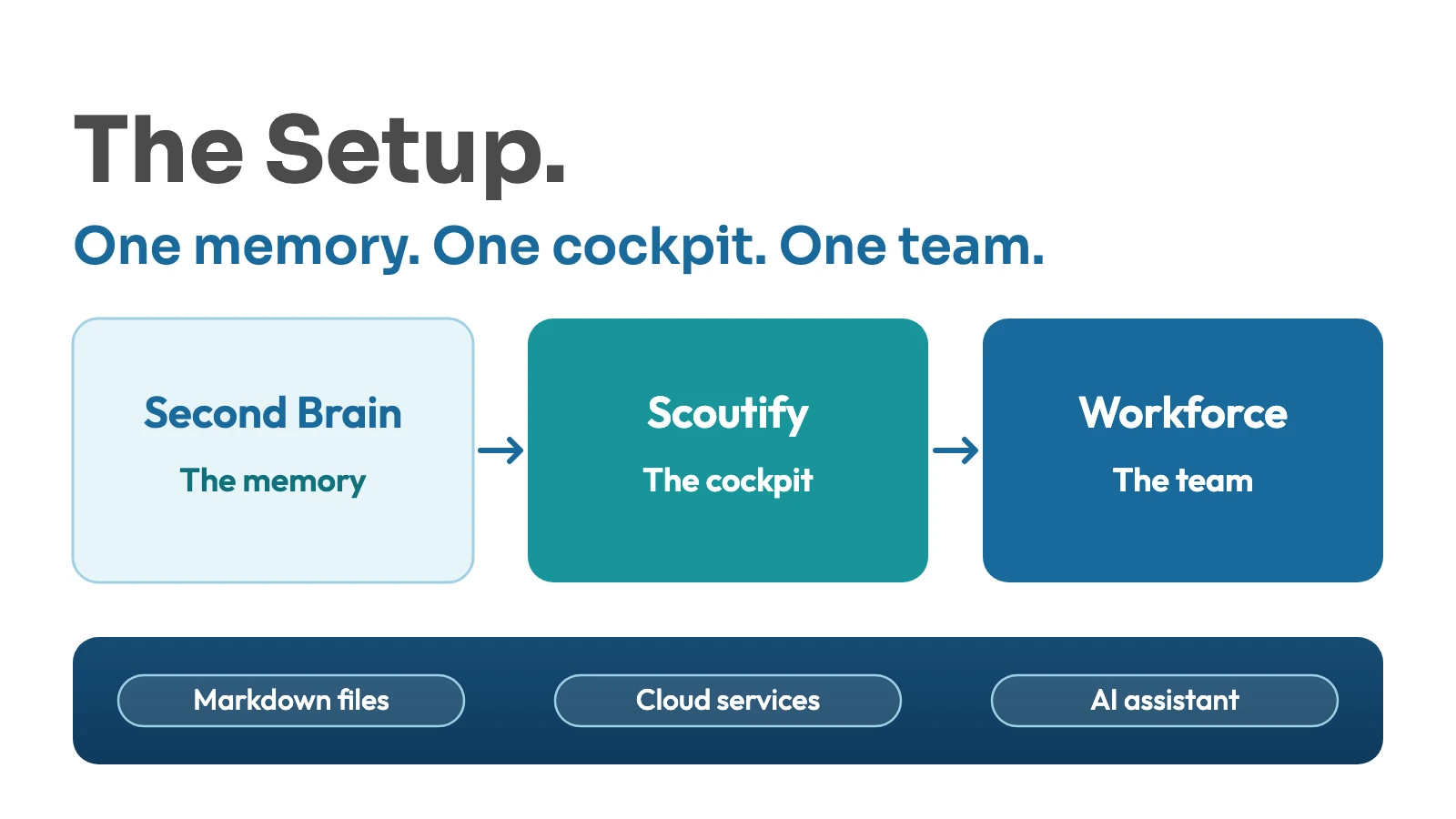
The Second Brain is the memory. It is a folder of Markdown files in my cloud storage, organized with PARA: Projects, Areas, Resources, Archive, plus an Inbox and a folder for AI work. No special tool, no lock-in. Every tool that can read files can read it.
Two rules do most of the work. First, everything new lands in the Inbox as a new file, never directly in the wiki. Collect first, sort later. Second, every note carries a confidential flag in its frontmatter, and a note without the flag counts as confidential. A nightly sweep applies fixed routing rules, keeps an index and a log, and anything it cannot place clearly stays in the Inbox.
Scoutify is the cockpit. It is a personal web app for my own work. It shows my day, customer context, open follow-ups, meeting outcomes and the tasks I have handed to agents. It is a view, not a brain: scheduled automations write the data, Scoutify makes it readable and actionable.
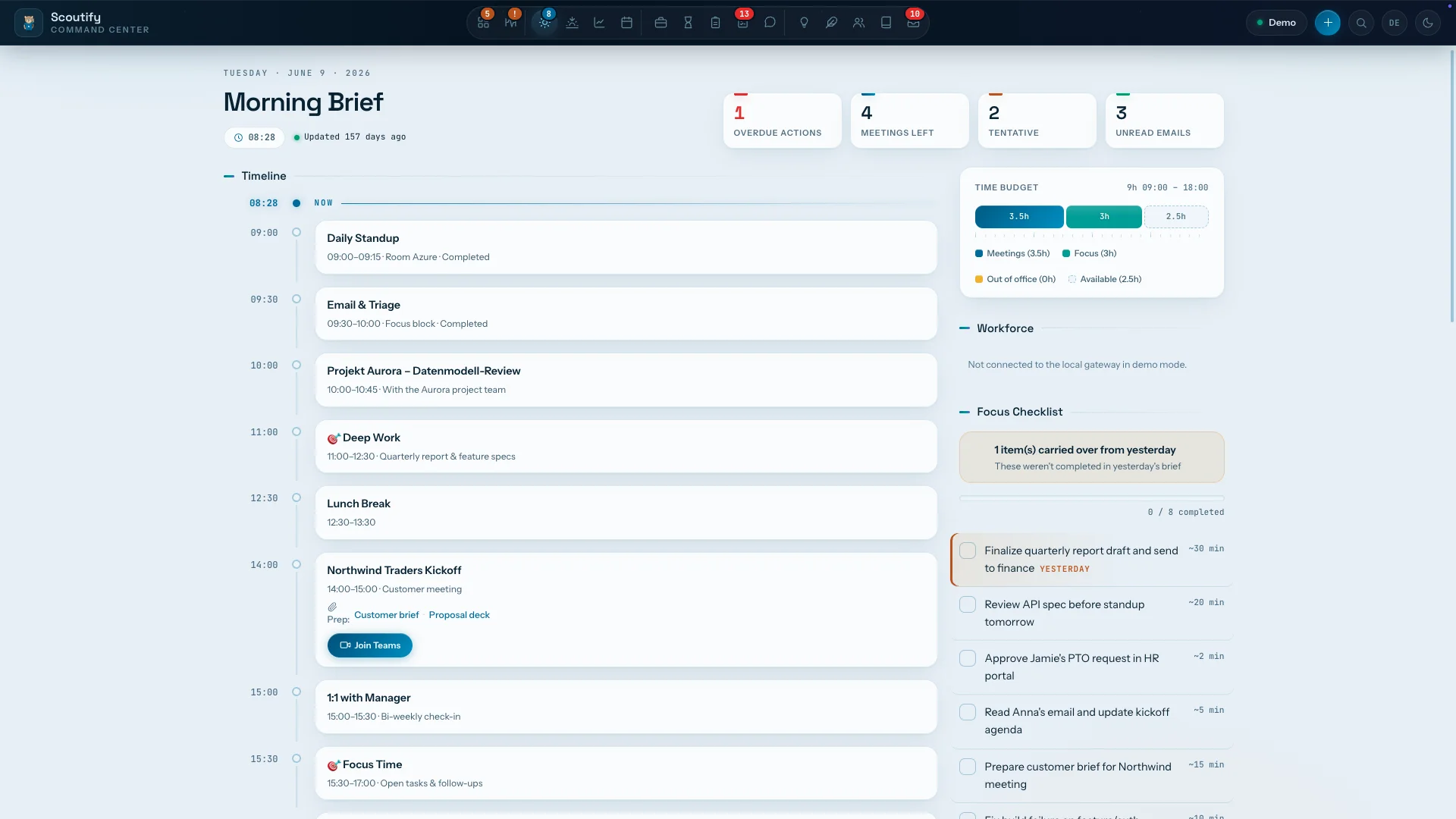
The Morning Brief of Scoutify, a demo screenshot with sample data. The Workforce panel stays empty here because demo mode is not connected to my own setup.
Scouty is the assistant on the move. She lives in my team chat, where I ask questions, capture things, set reminders and hand work to the workforce. She also suggests where a new note belongs, but only as a proposal. She changes no existing note.
The workforce#
The third layer is a small group of agents, each with one role:
- Chief is the chief of staff. It is an AI assistant that runs on my own computer, inside the vault, and gives me a situation overview in the morning, at noon and in the afternoon. It proposes what to do next and hands work to the others only after my OK. Its scheduled runs have no way to reach the outside world.
- Prep builds preparation packages for meetings.
- Nudge turns my own promises (“send this to that person”) into message drafts. I send them myself.
- Drafty drafts social media posts.
- Hugo is the editor for this blog.
- Veto challenges my ideas and lists counterarguments, assumptions and risks.
- Talent is the HR role: it hires new agents and reviews the active ones every month.
The flow is the same every time. A task goes out with a clear order: which agent, what to do, what counts as done, how much autonomy. The agent writes its result as a draft. I review it, and only then does anything happen.
Leading instead of prompting#
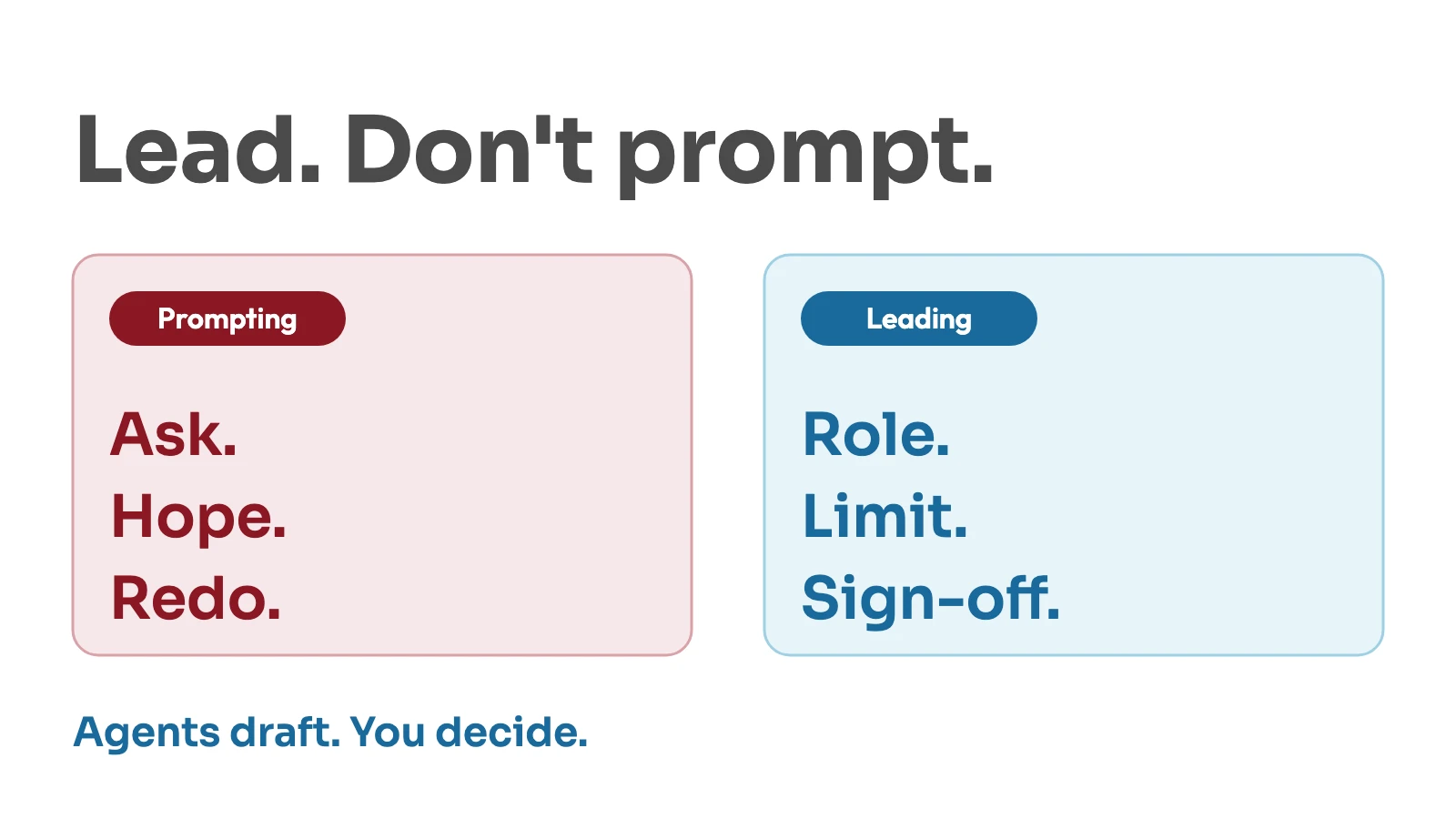
When I say leading, I mean three things you would also do with people.
A written role. Every agent has a personnel file: the role, what it must not do, how much autonomy it has and what a finished result looks like. The prompt is a small part of that file. One role, one instance. Nobody is a generalist, because a generalist has no definition of done, and then you cannot tell whether it did a good job.
A limit that sits in code. Prose in a prompt is a request. A check in code is a limit. Wherever it matters, such as not sending anything or not touching confidential notes, the rule is enforced by the system around the agent, not by the agent’s good behavior. This is the same idea as in my post on the harness around an agent .
A human who signs off. Autonomy is set per task, on a scale from L0 to L4, not per agent. A typical task runs at L1: the agent drafts, and nothing is sent or published. If an agent needs a decision, the task stops until I answer. It does not guess. Whatever I approve or reject is logged.
Two more habits keep this honest. The agent that creates something is never the one that approves it: Veto challenges, and reader personas check drafts against a yes-or-no rubric. And new agents start with a probation period and on the lowest trust level, where they only propose.
Where others land#
I am not alone in this direction. Ethan Mollick argues in Management as AI superpower that delegating to agents is a management skill: clear goals and good evaluation mean fewer attempts to get a usable result. Andrew Ng named multi-agent collaboration, next to reflection, tool use and planning, as one of the agentic design patterns . My setup uses several of them, but I picked them for control, not for elegance.
What I learned#
This has happened more than once: a limit or my own review stopped an agent mistake before it went anywhere. I will not walk through a case here. It is the reason I trust a check in code more than a sentence in a prompt.
Narrow roles are easier to judge. An agent with one job, one format and one check can be reviewed in a minute. That is why the workforce has many small agents and not one large one.
Limits belong in code. I would not rely on a sentence in a prompt for anything I cannot undo. A sentence is a hope, a check is a limit.
Start low and earn trust. Every new agent begins at the level where it only proposes. Raising the level is a decision per task type, made with evidence from earlier results.
The memory outlives the tools. Agents come and go, and I expect to replace some. The vault is plain Markdown, so it stays mine whatever I run on top.
My experience is there when I need it. I can draw on what I have learned without spelling it out every time, because much of that knowledge is simply present in the Second Brain. That is the biggest change in my day. I do not have a number for it, and I will not make one up.
It is not finished. Not every tool and system I use daily is cleanly connected to all agents and to the cockpit yet. Until it is, some work still happens next to the setup instead of inside it.
Two more honest limits: the task store is a set of local files, which is easy to follow but not something I would run a team on, and agents only see what I give them.
Three things to do before you build your own#
- Write the role before the prompt. One page: role, limits, autonomy, definition of done. If you cannot write the definition of done, the role is too broad.
- Put the one rule you cannot afford to break into code. Start with what must never leave without you.
- Decide the sign-off point per task. Begin where nothing leaves without your approval and raise autonomy only for task types that have earned it.
The agents work for me, not the other way around#
If you keep one idea, keep this one: an agent is only as useful as the leadership behind it. A better prompt gets you a better answer. A clear role, a hard limit and a sign-off get you something you can trust with work that matters.



Discussion